Support
Setup Email Account on Android Using Email App
|
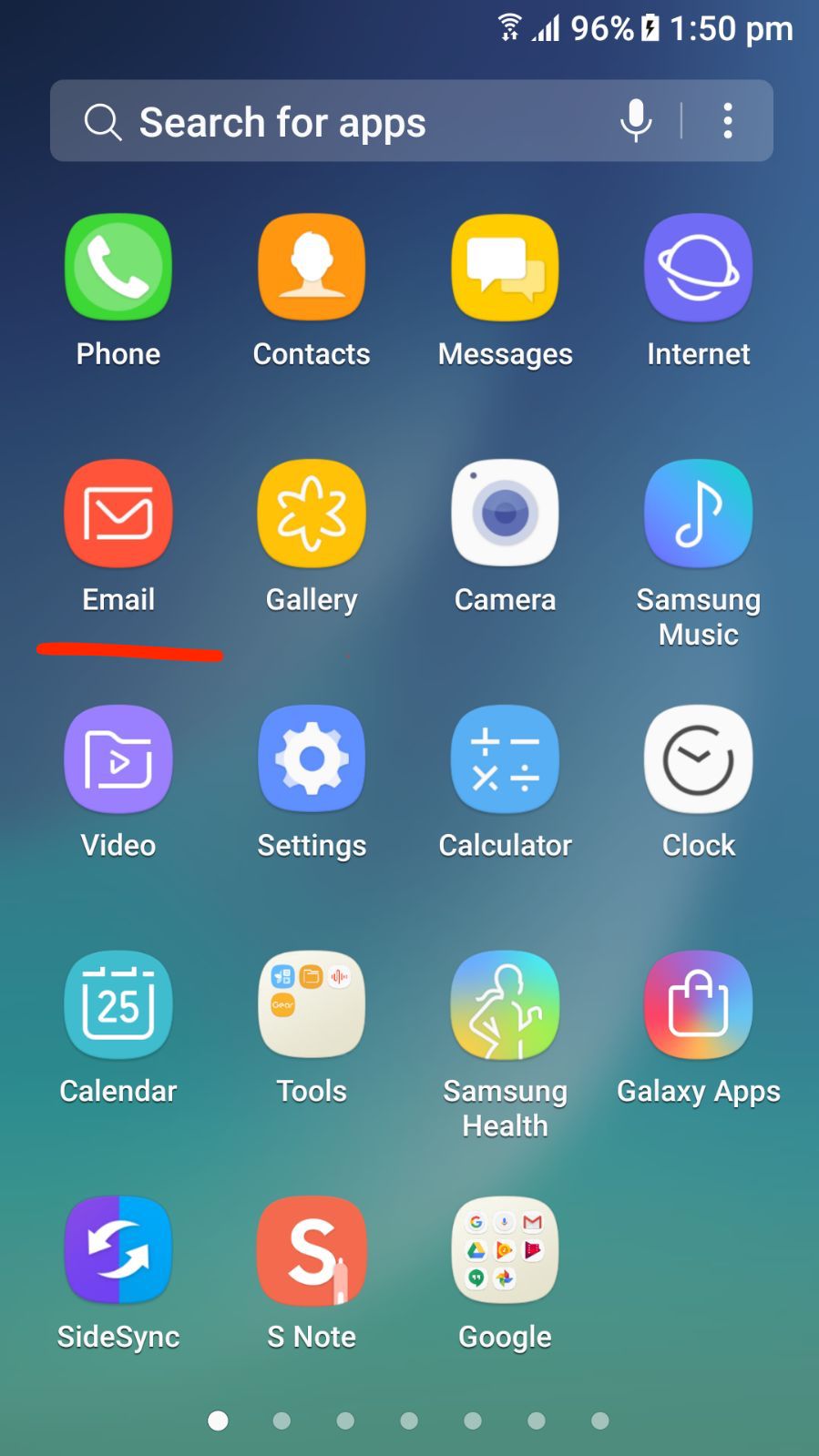 |
2. Tap on ADD NEW ACCOUNT Button |
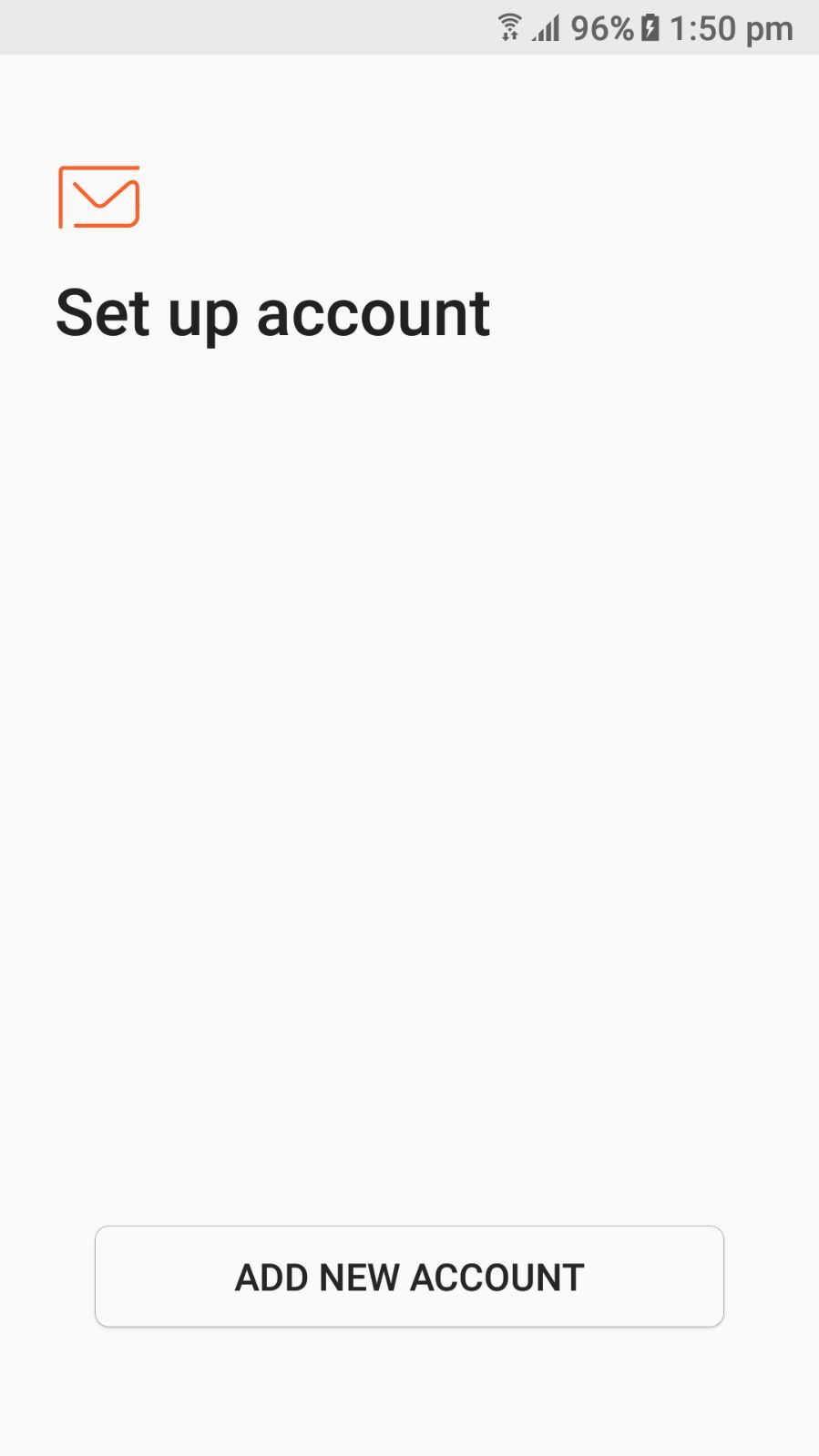 |
|
4. TAP on MANUAL SETUP |
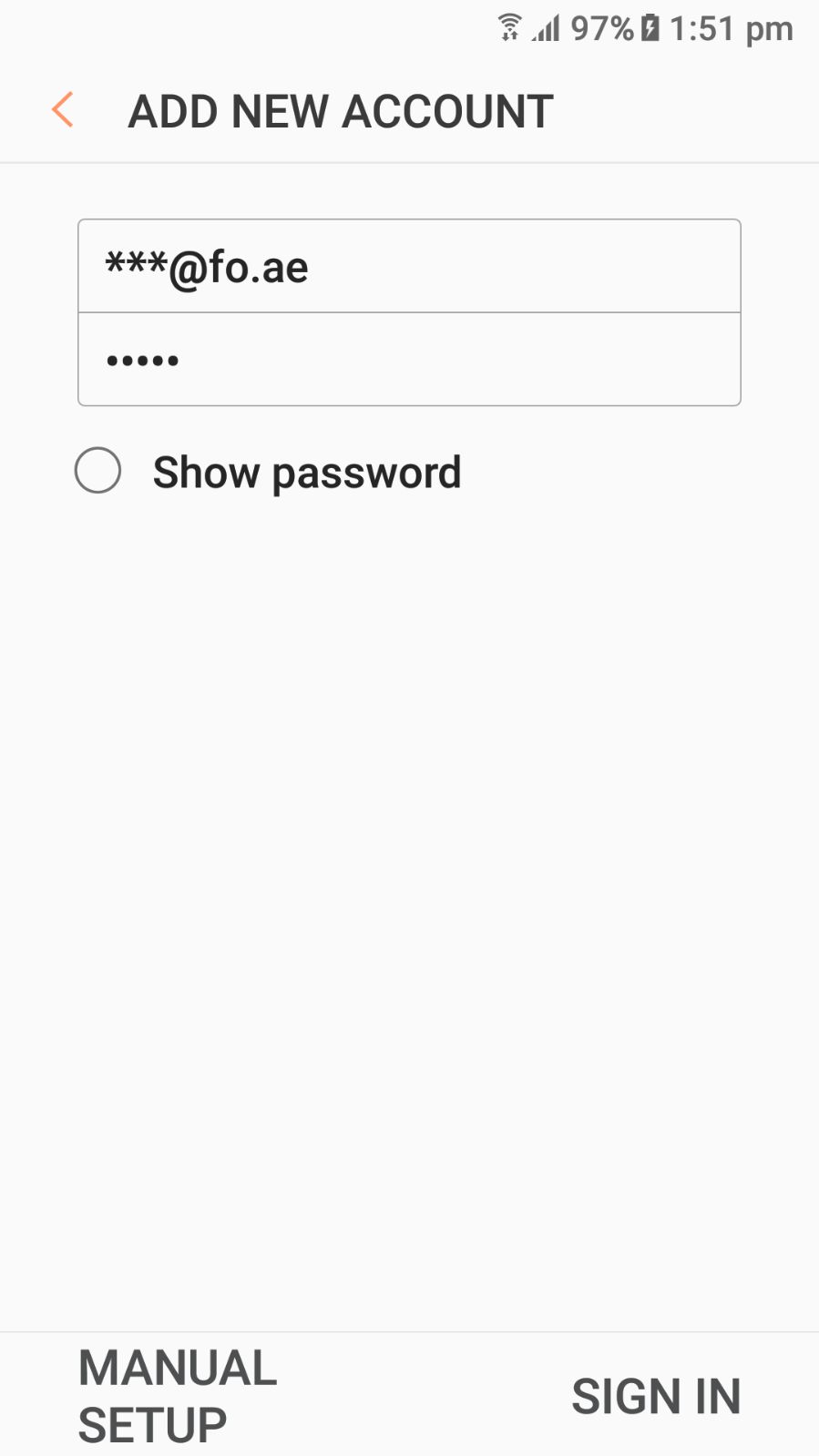 |
4. Tap IMAP Account |
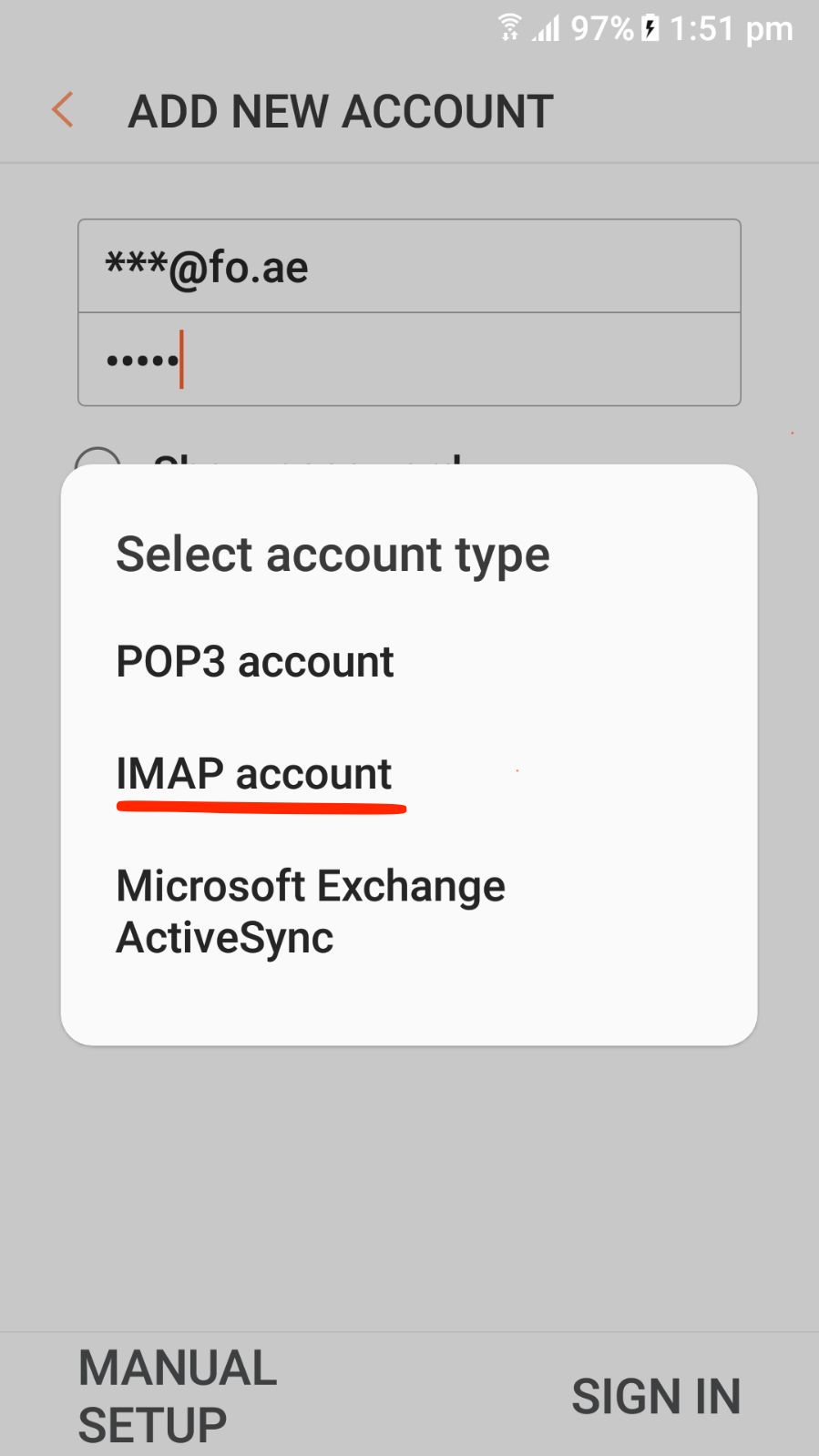 |
|
a) IMAP server: fo.ae (your domain) b) Security Type: none c) Port: 143 |
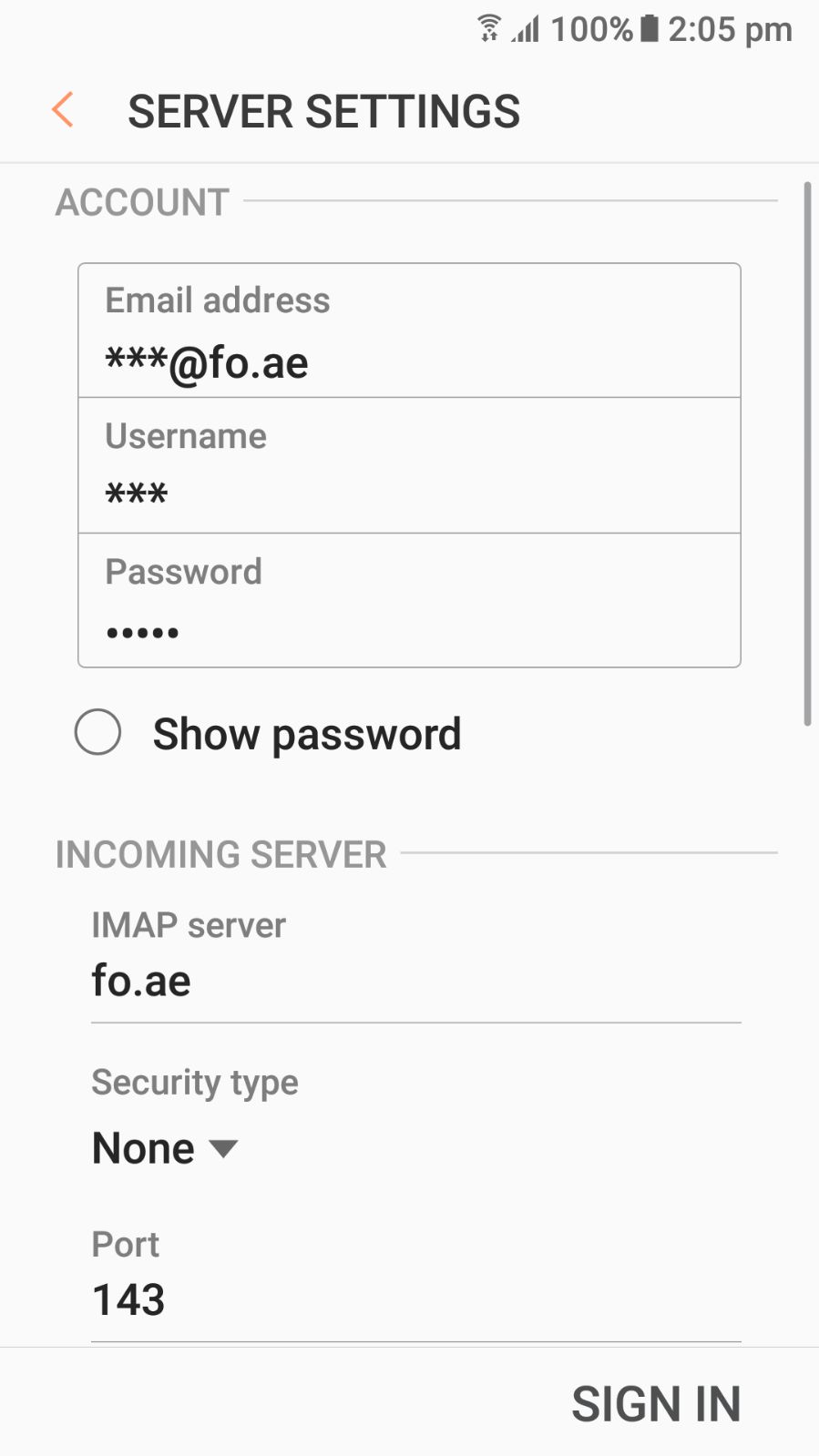 |
|
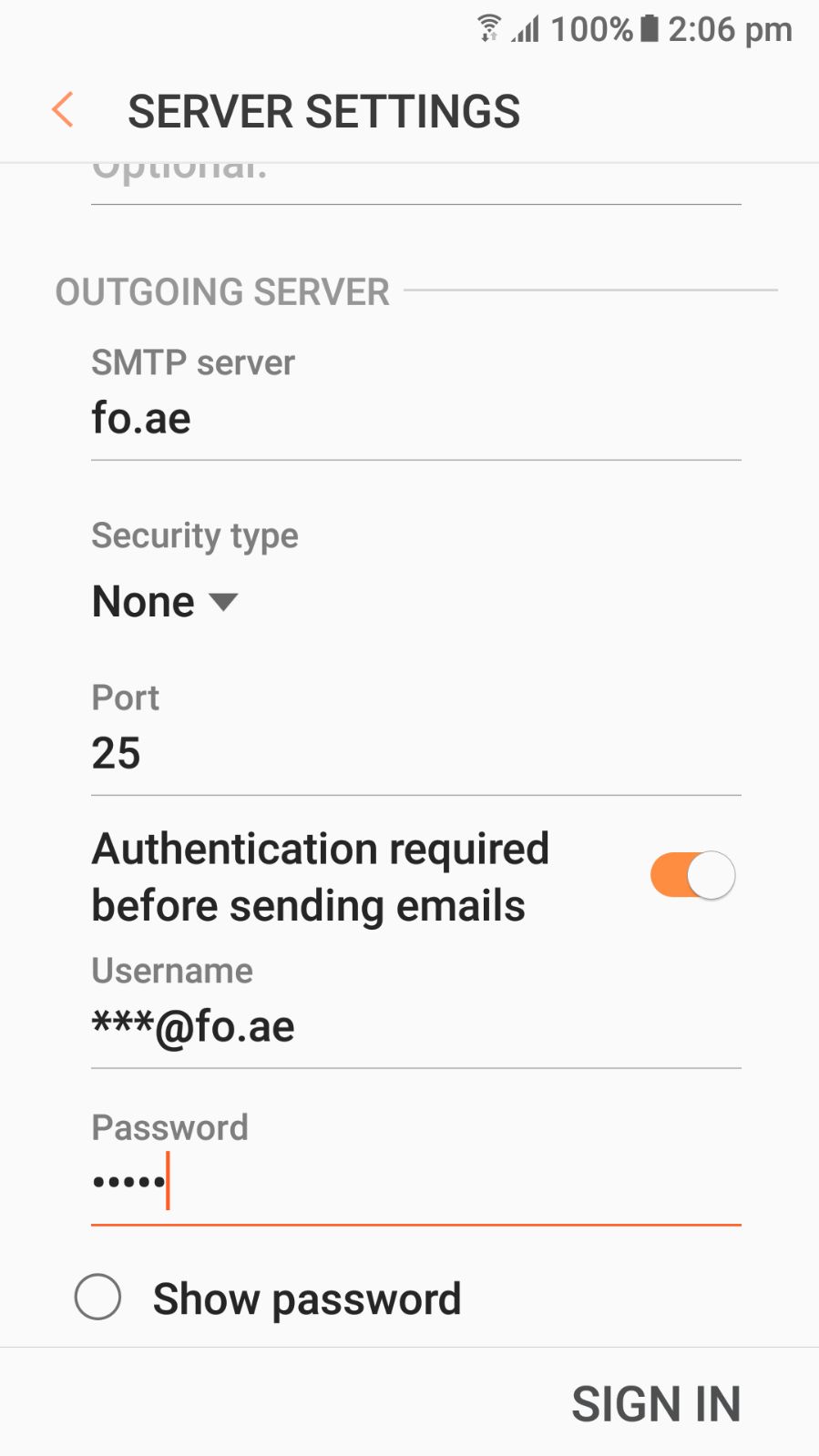
a) IMAP server: fo.ae (your domain) b) Security Type: none c) Port: 25 or 26 or 587 d) Authentication Required Before Sending emails: ON e) User Name: your full email address f) Password: your password
6. Tap on the SIGN IN and It will check your settings if everything is ok, You will be able to send and receive emails.
If you got Error Plz change OUTGOING Server and Sign In again |
 |